Cross-stitch pattern maker
Your photo, in cross stitch
Stitchograph turns your own photo into a cross-stitch pattern you can really stitch: real floss colors, clear symbols, a PDF that prints well and a list of what to buy. All of it on your phone or tablet.
Free for as many patterns as you like, up to 60 × 60 stitches. With everything in it: the PDF without a watermark, ticking off as you stitch, and the floss list. No ads, no account, no trial that runs out.
Coming soon to Google Play, for Android phones and tablets.
Example
From photo to pattern
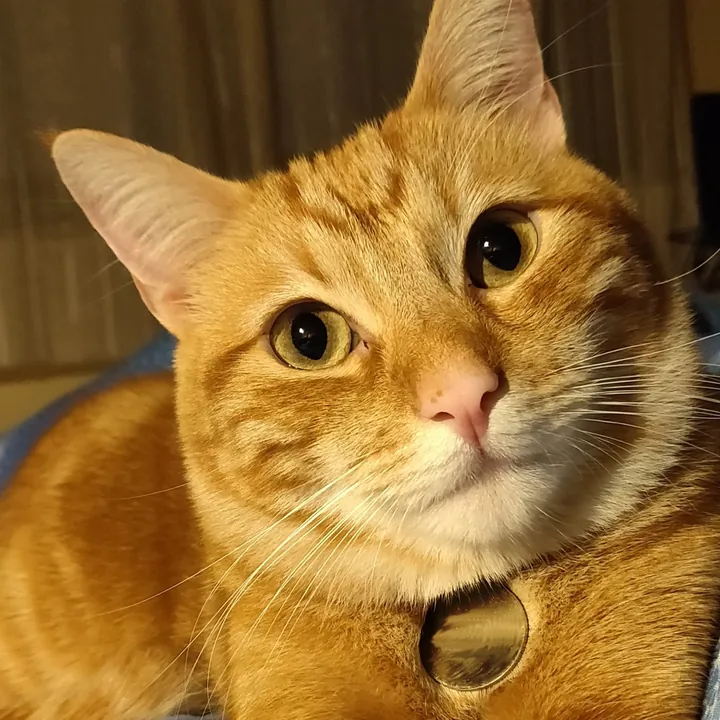
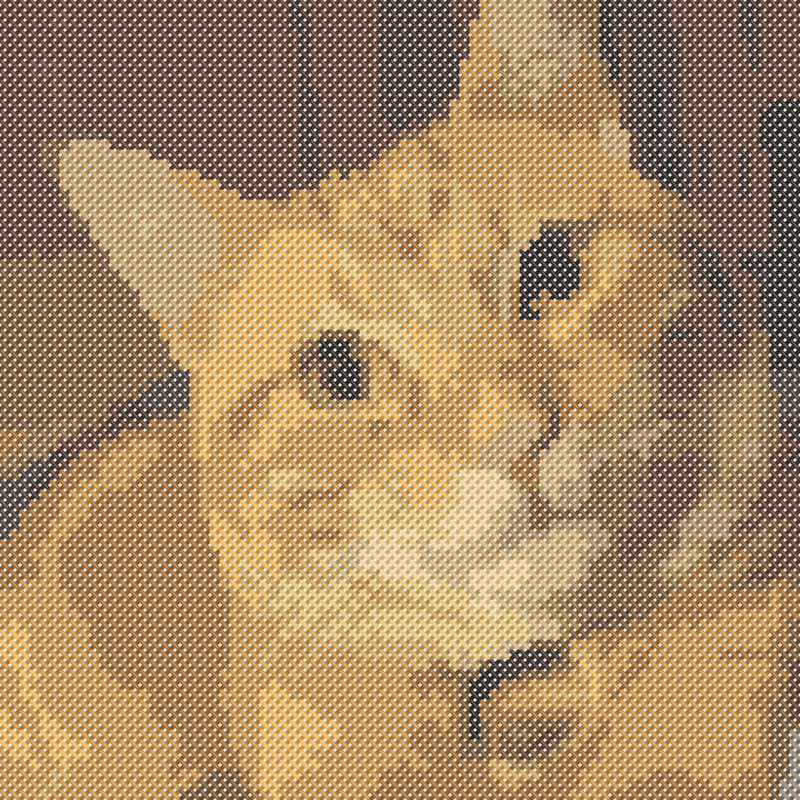
This is what Stitchograph made from a free photo of a cat, straight from the conversion. Nothing was touched up by hand.
The photo. A free photo of a ginger cat, cropped to a square. 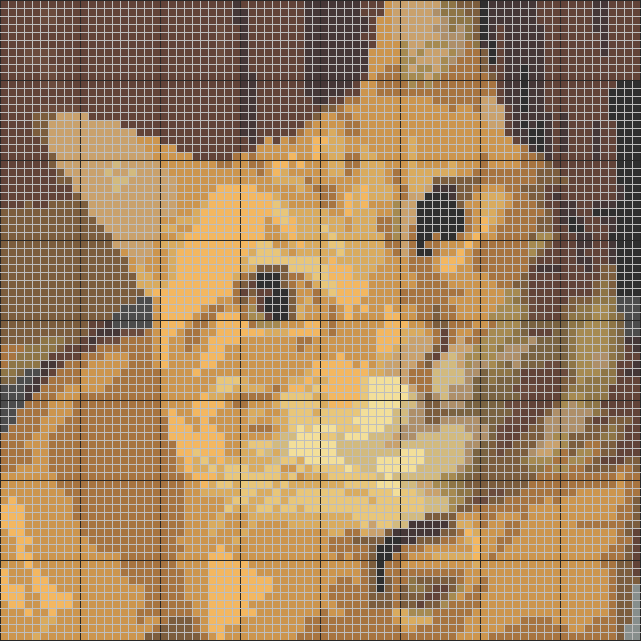
The pattern. 80 × 80 stitches in 19 floss colors, with lone stitches tidied up. 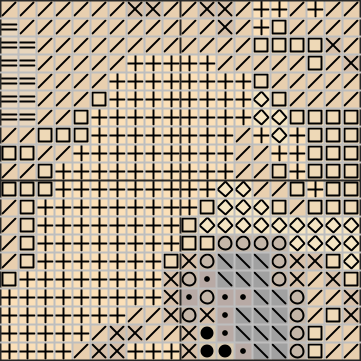
The chart. A close-up of the chart, with a symbol for each color, like in the PDF. Stitched. How it looks once stitched on fabric, as the app shows it before you start.
Photo: Ginger european cat by Lance 94 (Sebastian Rosa), Wikimedia Commons, CC0 1.0. At 80 × 80 stitches this example needs the full version; the free version goes up to 60 × 60.

How it works
Four steps to your own pattern
Choose a photo
Pick one with the photo picker, or share it from your gallery straight to Stitchograph. Crop it to the part you want to stitch: free, square, portrait or landscape.
Pick the size and colors
Choose the size in stitches and the number of colors, and see the result straight away. Press and hold to see the photo again and compare.
Make it yours
Touch up stitches by hand, merge two colors or choose another floss. Then make a PDF to print.
Stitch and tick off
Stitch from paper, or from your phone or tablet, and tick off what you have done as you go.
Features
Everything from photo to the last stitch
Stitchograph does more than turn a photo into squares. It makes a pattern that is pleasant to stitch, and helps you while you stitch it.
Real floss colors
Each color is matched to a DMC floss number and name, so you buy exactly the right thread; we are not affiliated with DMC.
Tidy, with care
Lone stitches cost time and thread, so Stitchograph folds them into their surroundings. The ones that matter stay, like the light in an eye.
Leave out the background
A plain background along the edges is not stitched, so the fabric shows through. Or tap the areas you do not want to stitch.
Touch up by hand
Draw, erase, fill and pick up a color. Merge two colors, choose another floss or swap symbols. Undo and redo as often as you like.
A PDF that prints well
A4 or Letter, in color or black and white, with small, medium or large squares. A cover, a floss key with skeins, a map of the pages, bold lines every 10 stitches, arrows to the center and one row of overlap between pages.
Stitch on phone or tablet
Tap a stitch to tick it off, or press, hold and drag along a row. Highlight one color to see where it goes. Your progress is saved as you go.
Floss list
Every color with its number, stitches and skeins, and how much fabric to buy with room to frame. Tick the floss you already have: Stitchograph remembers it for all your patterns.
Backup in one file
Your patterns, photos, progress and the floss you have, in one file you keep yourself. Restore it on a new phone or tablet.
What makes it different
Honest, private and made to stitch from
- Pay once, no subscription. The full version is a one-time purchase. What is free stays free.
- Everything stays on your device. Your photos and patterns are not uploaded anywhere. No account, no ads, no tracking.
- No internet permission. Android does not even let Stitchograph go online. It works the same on a train or in a cabin.
- No watermark. The PDF is clean, also in the free version.
- Made for the tablet too. Stitch from a big screen and tick off as you go, row by row.
- In 30 languages. The app speaks your language, and so does the PDF.
Price
Free, and it stays free
Download Stitchograph for free and make as many patterns as you like. You only pay if you want bigger patterns, and then only once.
Free
60 × 60 stitches at most
No time limit, no payment details
- As many patterns as you like
- All colors, tidying up and leaving out the background
- Touching up by hand
- The PDF in color or black and white, without a watermark
- Stitching and ticking off on phone and tablet
- The floss list and the backup
- No ads
Full version
500 × 500 stitches at most
A one-time purchase in Google Play. No subscription.
- Patterns up to 500 stitches a side, for faces and pets in fine detail
- Everything in the free version
- Pay once and keep it, on every device with your Google account
- No trial that runs out. The free version is not a trial; it stays free.
- Your patterns are always yours. Whatever you made, you can always open, stitch and print, with or without the full version.
- No watermark, ever. Not in the free version and not in the full one.
Google Play shows you the price in your own currency, including VAT, before you buy. The full version is linked to your Google account, so it also unlocks on a new phone or tablet.
Private
Your photos stay with you
Stitchograph has no account and does not even have permission to use the internet. Your photos and patterns are stored on your device, and a backup is a file you keep yourself. More in the privacy policy.
- No internet access. Android does not let the app go online at all.
- Converted on your device. Your photo is not sent anywhere to make the pattern.
- Only the photo you pick. Choosing a photo goes through the photo picker of Android, so the app does not see the rest of your gallery.
- No ads, no tracking, no account. No analytics, no advertising ID, no sign-up.
FAQ
Questions
Which floss does Stitchograph use?
Stranded cotton from the DMC range: every color in a pattern gets a DMC number and name, and Stitchograph is not affiliated with DMC. Other brands are not included. Colors on a screen are an approximation, so buy by number.
How big can a pattern be?
Free: up to 60 × 60 stitches. With the full version: up to 500 × 500. How big that is depends on the fabric: on 14-count Aida, 60 stitches is about 4.3 inches (11 cm). Stitchograph shows the finished size and how much fabric to buy, for Aida from 11 to 20 count and for linen or evenweave.
How many colors can a pattern have?
You choose, with a slider, and see the result straight away. Fewer colors give a calmer pattern and less floss to buy; more colors give finer shading, for example in a face.
Which photos work best?
A sharp photo with good light and a clear subject, cropped close. Pets, flowers, houses and landscapes work well. A plain background can be left out, so the fabric shows. Use your own photos, or photos you are allowed to use.
Is there a watermark or a trial?
No. The PDF never has a watermark, and the free version is not a trial: it does not run out. Patterns you made can always be opened, stitched and printed, also without the full version.
What does the full version cost?
It is one purchase in Google Play, with no subscription. Google Play shows the price in your own currency, including VAT, before you buy. Bought it before with your Google account? It unlocks by itself on a new phone or tablet.
Does Stitchograph need an internet connection?
No. Everything works offline, and the app has no internet permission at all. Only the purchase goes through the Google Play app on your device.
Can you print the pattern?
Yes. Make a PDF on A4 or Letter, in color or black and white, with small, medium or large squares, and print or share it straight from your phone. The PDF has a cover, a floss key with skeins, a map of the pages, numbered rows and columns, and arrows to the center.
How do you move to a new phone?
Make a backup file in Settings and restore it on your new phone: it holds your patterns, photos, progress and the floss you have. If you move with the transfer that Android offers when you set up a new phone, everything comes along too.
When can you get Stitchograph?
Stitchograph is coming soon to Google Play, for Android phones and tablets. Questions in the meantime: stitchograph@h4it.nl.
Which languages does Stitchograph speak?
30 languages, and the PDF follows the language of the app. You can change the language in the settings of the app.